
How to A/B Test Video Ads With AI-Generated Variants
You can generate 2-5 video ad variants from a single brief — each with a different hook, shots and call-to-action — and see the exact credit price before anything renders, so testing multiple creative angles no longer means briefing multiple editors.
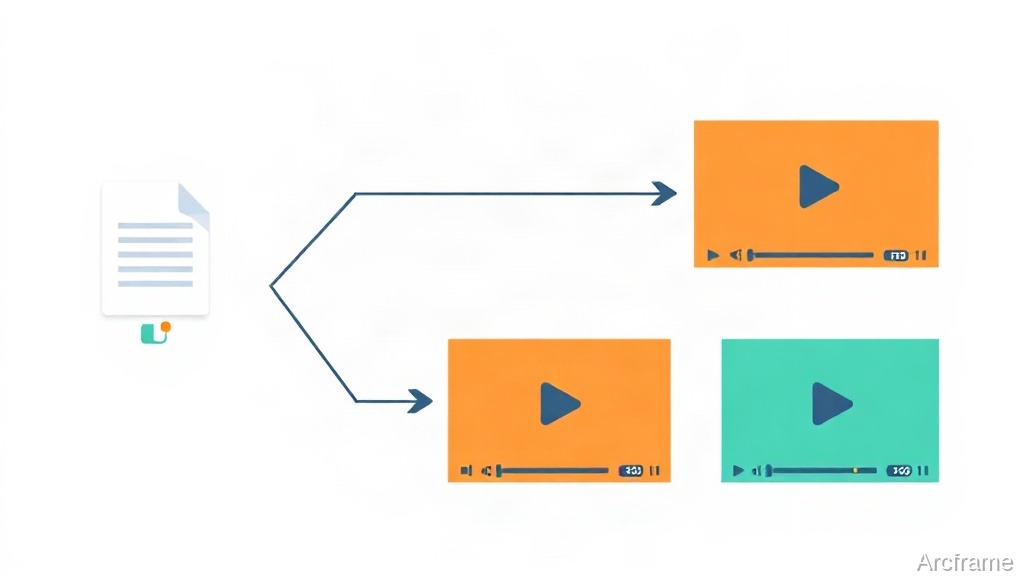
You can generate several video ad variants from a single creative brief in one pass — each one a different angle with its own opening hook, its own generated shots, and its own call-to-action — and see the exact price in credits before a single clip renders. That turns A/B testing ad creative from "brief three editors, wait two days" into "describe the product once, review the plan, approve the price."
What actually gets varied
A campaign plan takes one brief and one name, and returns a set of variants — typically three, configurable from two to five. Each variant is not a crop or a filter on the same clip; it is its own creative angle, with:
- Its own hook — a title graphic over the opening frame, specific to that angle.
- Its own shots — newly generated video clips, each 6 to 30 seconds, adding up to the campaign's target length (15 seconds by default).
- Its own call-to-action — a CTA graphic over the closing frame, with its own line of copy.
You can optionally anchor every variant to a product photo, which becomes the first frame of the product shots, or to a timeline of your own existing footage, which is copied into the start of each variant before the new shots are added. Output shape is 16:9, 9:16 or 1:1, so the same brief can target a YouTube pre-roll and an Instagram Reel without separate planning.
Why the planning step exists
Planning a campaign costs a few credits and makes nothing — no clips are generated at that step. What you get back is the full set of variants (their hooks, shots and CTAs) plus a quote: the total credits every shot of every variant will cost at the video model's rate. Nothing renders until you accept that number.
This matters because generated video is priced per second of output, and a 5-variant campaign at 15 seconds each is 75 seconds of footage — not a cost you want to discover after the fact. You can also edit the plan for free before committing: drop a variant entirely (it stops counting toward the price), rename a hook, rewrite a CTA line, or change a variant's shot list. Only once you approve the quoted price does generation start, and each variant becomes its own independent timeline as its clips finish, usually one to three minutes per clip.
Manual variant testing vs. plan-then-generate
| Separately briefing each variant | One brief, multiple variants | |
|---|---|---|
| Starting point | A new brief per editor or per prompt, re-explaining the product each time | One brief, one product reference |
| Cost visibility | Known only after the invoice or after generation runs | Quoted in credits before anything is generated |
| Dropping a weak angle | Sunk cost — footage or editor time already spent | Free — remove it from the plan before approving the price |
| Consistency across variants | Depends on the brief being repeated accurately | Same brief and (optionally) same product photo or base footage across all variants |
| Formats | Usually re-cut per platform after the fact | Set per plan: 16:9, 9:16 or 1:1 |
A typical workflow
- Write one brief describing the product and the angle you want explored (e.g., "a skincare serum ad, test a problem/solution hook against a before/after hook against a social-proof-style hook").
- Plan the campaign with a variant count (2-5), a target length, and a shape. Nothing is generated yet.
- Review the returned hooks, shots and CTAs for each variant, and the total credit price.
- Cut a weak variant, swap a CTA line, or adjust a shot prompt — all free, and the price recalculates.
- Approve the price to generate. Each variant lands as its own timeline, ready to export and run as a separate ad.
What this does not do
It does not run the ad test for you — there's no built-in split-testing against ad platforms, no performance tracking, and no automatic "pick the winner" step. It generates the creative variants; you still traffic them through whatever ad platform you use and read the results there. It also doesn't retrofit an already-finished video into variants after the fact — the branching happens at the brief stage, before shots are generated, not by re-cutting one finished ad.
If you're already working inside Claude, ChatGPT or Cursor, the same planning and generation steps are reachable through Arcframe's MCP server, so an agent can draft the brief, show you the plan and price, and kick off generation once you approve it, without leaving the chat.
Cost
Campaign planning itself costs a few credits and makes nothing; generation is billed per second of video across every shot in every enabled variant, at the video model's standard rate, and you see the total before approving it. For current credit pricing and plan details, see arcframe.ai/pricing.