
AI UGC Ads vs AI Product Ad Videos: Which One Do You Need?
An AI UGC ad is a text-only, vertical clip built to look like an unpaid customer talking to camera; an AI product ad video is built from a real product photo into a polished commercial shot. Here's the side-by-side and how to pick.
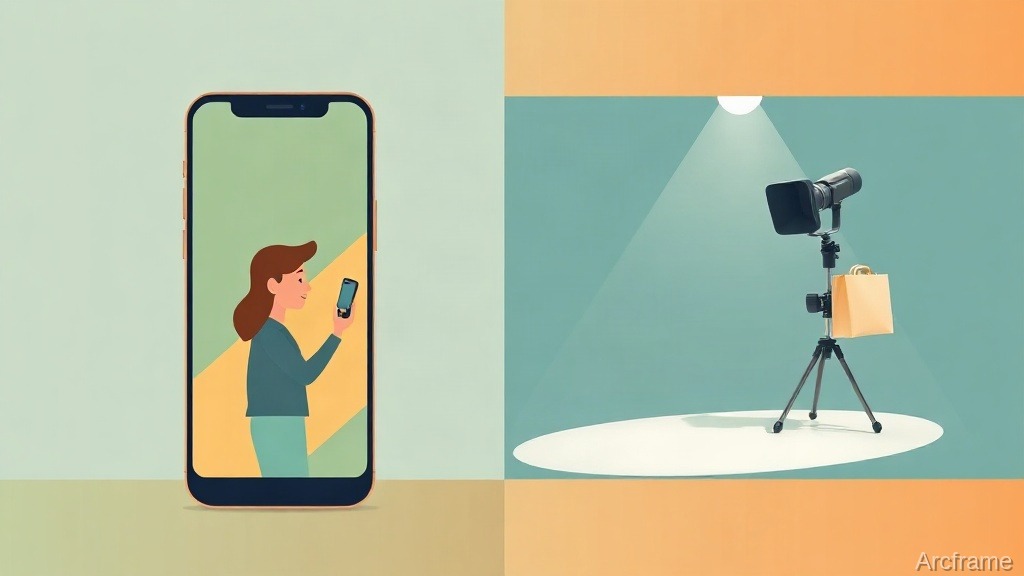
An AI UGC video ad is a short, vertical clip built to look like an unpaid customer talking to camera — handheld framing, natural light, one person, no product on a turntable. An AI product ad video is the opposite goal with the same tools: a polished commercial shot built from a product photo, with hero angles, studio lighting and camera moves that look shot, not filmed on a phone. Both can now be generated from a single text brief or a single image in a few minutes, and picking the wrong one for the placement is the most common reason an AI-made ad underperforms.
Side by Side
| AI UGC video ad | AI product ad video | |
|---|---|---|
| What you provide | A text brief only — no image needed | One product photo, plus a short concept line |
| Aspect ratio | Vertical 9:16 | Whatever fits the placement, commonly 16:9 or 9:16 |
| Camera style | Handheld shake, natural daylight, single creator to camera | Hero shots, dynamic camera moves, premium studio lighting |
| Tone | Casual, first-person, "genuine enthusiasm" | Commercial, produced, brand-forward |
| Best placement | Instagram/TikTok Reels feed, native-feeling ad slots | Product pages, hero banners, retargeting, catalog ads |
| Underlying generation | Text-to-video | Image-to-video, anchored to your photo |
What Actually Makes a Clip "Read" as UGC
Feeds are saturated with obviously-produced ads, and viewers have gotten fast at scrolling past anything that looks like one. A UGC-style clip works by not looking produced: vertical framing because that's how a phone is held, a slight handheld wobble instead of a locked-off tripod shot, daylight instead of a three-point studio rig, and one person talking directly to the lens instead of a voiceover over B-roll. None of that is about better production — it's about deliberately removing the signals of production, which is why a UGC generator and a product-ad generator start from different presets rather than the same one with a filter on top.
How Each One Gets Built
An AI product ad video starts from a photo you already have — a bottle on a white background, a shoe on a shelf, a screenshot of the app. You add a short concept line ("hero shot, morning light, slow push-in") and the system turns that single image into motion: camera moves around the product, lighting shifts, the still photo becomes a several-second commercial beat. Because it's anchored to a real photo, the product itself stays accurate — this is image-to-video, not a fresh render that might reinterpret what the product looks like.
An AI UGC video ad starts from nothing but a brief: who's talking, what they're reacting to, what the hook is. There's no photo to anchor it, so the whole scene — the person, the room, the framing — is generated from the text description. That's what makes it fast for testing a lot of hooks (you can write ten briefs in the time it takes to shoot one real testimonial), and it's also the honest limit of the format: see below.
Both modes default to a fast general-purpose video model, but that's a starting point, not a wall — either one can be pointed at a different video model when a brief calls for it, at that model's own credit cost.
Which One to Reach For
- You have a real product photo and want it to look shot, not sketched → the product-ad path. It's anchored to the actual image, so packaging, color and shape stay correct.
- You need a testimonial-style hook for a cold Reels or TikTok audience and don't have footage of a real customer → the UGC path. You're testing a script and a delivery style, not a specific product's appearance.
- You're running a catalog with dozens of SKUs → product-ad, one photo in per SKU, batched.
- You're testing five different opening lines for the same offer → UGC, since each is just a new brief with no asset to prepare.
What This Doesn't Do
An AI UGC clip is a generated performance, not a hired creator — there's no real person, no usage rights to negotiate, and no way to reuse an actual customer's likeness or story, because none of that is what's being generated. It's also not a substitute for an actual review: a viewer who watches enough of these learns to spot the tell (the slightly-too-smooth delivery, the generic room), so treat it as a fast way to test a hook and a tone, not a permanent replacement for real testimonials once something is working. On the product side, the anchor photo has to already be good — a blurry or badly lit source image will produce a blurry or badly lit ad; the model adds motion and camera work, not corrected product photography.
Cost and Getting Started
Both modes are generated per second of output video, and the per-second rate depends on which underlying video model you point the mode at — current model rates and plan requirements are listed on the pricing page, which is kept current rather than restated here. The free tier starts with 20 one-time credits and no card, enough to generate and compare a few clips from each mode before deciding which one earns a spot in an actual campaign.