
Arcframe Free Plan Guide: What You Get, How Credits Work, and When to Top Up
Everything the Free plan actually includes — the exact models you can use, how far 20 credits really goes, and what top-up credits do (and don't) unlock.
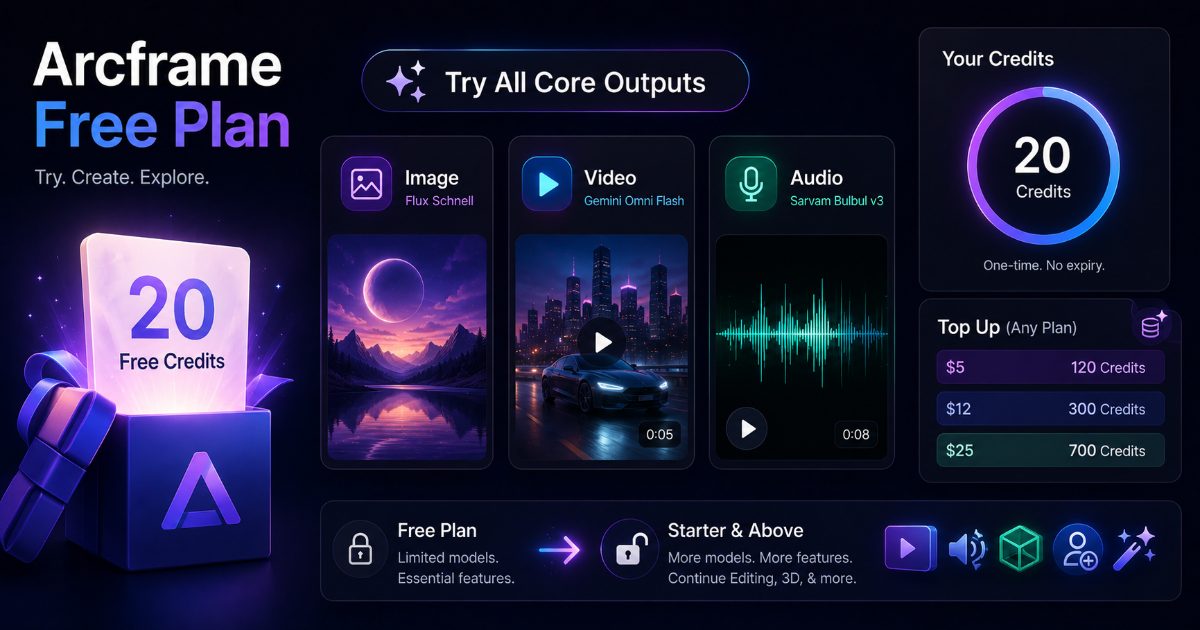
What you get with the Arcframe Free plan
You don't need a credit card to start using Arcframe. Every new account gets 20 free credits — a one-time balance, granted at signup, with no trial countdown. There is no monthly free refill, so treat the 20 as a starting kit rather than an allowance that returns.
Every model is available on the Free plan
This is the part that changed, and it is worth stating plainly: no model is locked to a paid tier any more. Veo, Sora, Seedance, Kling, Wan, voice cloning, 3D — a Free account can run any of them. The only thing that decides what you can generate is whether your credit balance covers the render.
So the honest question is not "what does Free unlock", it is "what do 20 credits reach".
How far 20 credits actually goes
Credits come from one shared pool. Video is billed per second and every model has a minimum clip length, so each has a floor price:
| What you generate | Cost | 20 credits buys |
|---|---|---|
| Flux Schnell image | 1 credit | 20 images |
| Flux Dev or Nano Banana Lite image | 2 credits | 10 images |
| Wan 2.5 video, 5 seconds | 10 credits | 2 clips |
| Seedance 1.5 video, 2 seconds | 8 credits | 2 clips |
| Gemini Omni Flash video, 3 seconds | 12 credits | 1 clip |
| Kling 2.5 video, 5 seconds | 15 credits | 1 clip |
| Hunyuan 3D Rapid mesh | 4 credits | 5 models |
| Sarvam Bulbul speech | 2 credits per 1,000 characters | 10,000 characters |
The expensive models are reachable, they are simply out of range on 20 credits alone. A four-second Seedance 2.5 clip at 720p costs 80 credits, and Veo 3.1 costs 68 for four seconds, so those need a top-up first.
What Free genuinely does not include
To keep this honest, three things still separate Free from a paid plan, and none of them is a model:
- A watermark. Images and videos generated on a free account are stamped "Arcframe". Paid plans get the original file, untouched.
- Commercial-use rights. Free output is for evaluation and personal use. Every paid plan includes commercial use.
- Clip stitching. Joining generated clips into one longer video is a paid-plan feature.
Voice cloning is not on that list: a Free account can save one cloned voice, Starter two, Pro three and Studio ten.
Topping up on the Free plan
If you run out, you can buy credits on any plan, including Free, with no subscription attached. In India:
- ₹199 → 40 credits
- ₹561 → 120 credits
- ₹1,399 → 300 credits
- ₹3,199 → 700 credits
Elsewhere: $5 → 120 credits, $12.50 → 300 credits, $29 → 700 credits. Rupee prices include 18% GST. You can also type a custom amount, anywhere from ₹199 to ₹25,000 or $5 to $300, and the credits are calculated on the same volume curve as the packs.
Topped-up credits work on every model. Buying credits and buying a plan now do the same thing for model access; the plan simply buys each credit more cheaply.
When it's worth upgrading
Upgrade when you want one of the four things a plan actually adds: a monthly credit allowance instead of one-off purchases, a lower price per credit, credits that roll over (three months on Pro, six on Studio), and the removal of the watermark plus commercial-use rights.
Starter is ₹849 or $7.50 a month for 200 credits, Pro ₹2,449 or $22 for 600, and Studio ₹7,749 or $72 for 2,000. If you are unsure whether a plan or pay as you go fits you better, we worked through the arithmetic in pay as you go vs monthly plans.
Check your balance anytime
Head to Settings → Billing for your current balance, your plan, and both ways to add credits. Every model's credit cost is shown in the composer before you generate, so you always know what a render will cost before you click.