
New on Arcframe: Gemini Omni Flash Video and the Nano Banana Lite Image Family
Google's Gemini Omni Flash brings video with built-in audio and conversational re-editing, while the Nano Banana Lite family adds fast, precise image generation and multi-image editing.
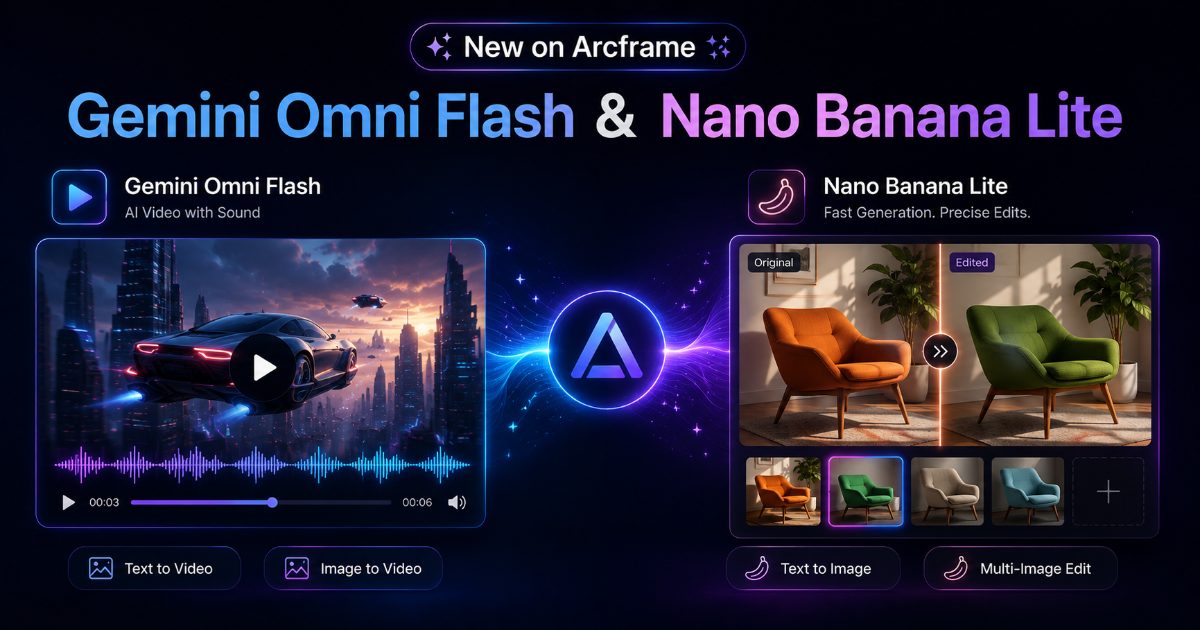
Two new Google model families just landed on Arcframe
We've added Google's latest generation models to the platform: Gemini Omni Flash for video, and the Nano Banana Lite family for image generation and editing. Both are live now in the dashboard model picker.
Gemini Omni Flash: video with sound built in
Gemini Omni Flash generates video from a text prompt or a reference image — but the standout feature is that audio comes baked into the output. No separate voiceover or music pass needed; the model produces a synced audio track as part of the same generation.
- Works as both text-to-video and image-to-video (drop in a reference image and it animates from there)
- Supports 16:9 and 9:16 aspect ratios
- Priced at 4 credits per second of output
Gemini Omni Flash is available to every plan, including Free — it's one of only two models we deliberately opened up on the Free tier so new users get a real feel for AI video before upgrading.
Continue editing a video, instead of starting over
Alongside the base model, we shipped Continue Editing for video using gemini-omni-flash-edit. Once you've generated a clip, hit "Continue editing" on the job card and describe what you want changed — "make the apple bright green," "change the lighting to sunset" — and the model edits the existing video while preserving everything else: scene, motion, camera framing, all identical except the part you asked to change.
This is a genuinely new capability for Arcframe — until now, there was no way to modify a generated video without generating a brand new one from scratch. Continue Editing for video is available on Starter and above.
Nano Banana Lite: fast image generation, precise editing
On the image side, we added three new models from the Nano Banana Lite family:
- Nano Banana Lite — text-to-image, 2 credits per image
- Nano Banana 2 Lite — text-to-image, 2 credits per image
- Nano Banana Lite Edit — multi-image editing, 2 credits per edit
The Edit model is the interesting one: unlike most edit models that take a single source image, Nano Banana Lite Edit accepts two or more reference images at once and applies changes with pixel-level precision — in our own testing, asking it to change just the color of an object left the background, lighting, and every other detail in the frame completely untouched.
Continue editing images too
Just like video, images now support Continue Editing — press it on any completed image job and the composer reopens in Edit mode with that image already loaded as your starting point. Refine a result across multiple turns instead of re-writing your prompt from zero each time.
Nano Banana Lite, Nano Banana 2 Lite, and Nano Banana Lite Edit are available on Starter plans and above.
Try them now
Both model families are already in the picker on the dashboard — no update needed on your end. If you're on Free, generate a Gemini Omni Flash video with your remaining credits to see the built-in audio for yourself.