
How to Generate an AI Voiceover or Podcast From Claude or ChatGPT
Yes — an MCP-connected voice platform lets you generate text-to-speech, clone a voice, or produce a two-voice podcast without leaving your Claude, ChatGPT or Cursor chat. Here's how the connection works, what it can and can't do, and what it costs.
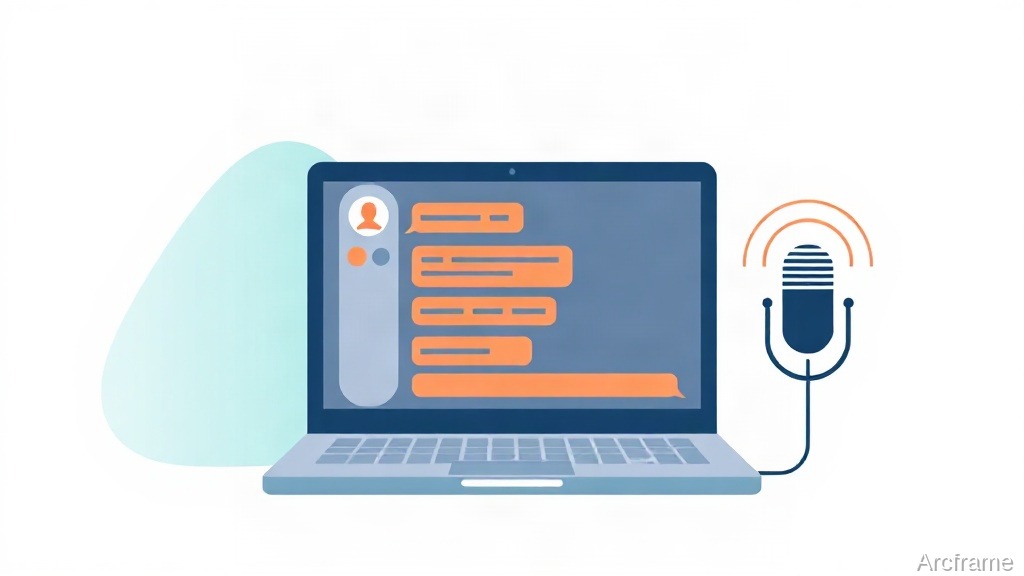
Yes: if the voice platform exposes a Model Context Protocol (MCP) server, you can generate a text-to-speech clip, clone a voice, or produce a two-voice podcast dialogue directly inside a Claude, ChatGPT or Cursor conversation — no dashboard, no file upload, no switching tabs. You describe what you want in plain language, the assistant calls the platform's audio tools on your behalf, and it hands back a playable link in the same chat.
What MCP actually changes about generating audio
Without MCP, generating a voiceover means: open the platform's website, log in, find the text-to-speech page, pick a voice, paste your script, wait, then download the file and bring it back to wherever you actually needed it — a video editor, a Slack message, a landing page. MCP collapses that into one step: you ask your AI assistant for the audio while you're already working in it, and the result comes back without you leaving the conversation.
This works because MCP is an open standard for letting an AI assistant call external tools. A platform that ships an MCP server for audio is exposing the same generation functions its own web app uses — text-to-speech, voice cloning, re-voicing an existing clip — as callable actions the assistant can invoke, poll for completion, and return.
What you can generate this way
| Task | What it needs | Typical use |
|---|---|---|
| Single-voice narration | A script and a voice choice | Product explainer, e-learning audio, IVR prompts |
| Two-voice podcast dialogue | A script written as two speakers, or a topic to turn into one | Interview-style podcast, dramatized Q&A |
| Cloned voice narration | A short reference recording of the voice, then any script | Narrating future videos consistently in one person's voice |
| Re-voicing an existing recording | An existing audio or video clip plus a target voice | Swapping a placeholder voiceover for a final one, or dubbing |
| Indian-language narration | A script in the target language, or English translated first | Localized voiceovers where most Western TTS tools are weak |
A typical exchange looks like this
Once the MCP connection is authorized once, a normal request is just a sentence: "Generate a two-minute voiceover of this script in a calm male voice" or "Turn this into a two-person podcast conversation and give me the audio." The assistant checks available voices, starts the generation job, polls it until it finishes, and returns a link you can play or download immediately — the same round trip a human would do by hand on a website, done without opening one.
Where Indian-language support matters here
Most general-purpose TTS tools handle English well and treat Indian languages as an afterthought — flat prosody, mispronounced conjuncts, robotic pacing. A platform built with dedicated Indian-language voice models changes that math: generating narration in Hindi, Tamil, Telugu or another Indian language becomes the same one-line request as generating it in English, from inside the same chat, rather than a separate specialized tool you have to go find.
What this doesn't do
Be clear-eyed about the limits before you rely on this:
- No live or real-time voice conversion. This is asynchronous job generation — you request a clip, wait seconds to a couple of minutes, and get a file back. It is not a live voice changer for a call or stream.
- Your AI client has to support MCP tool calls. Claude Desktop, Claude Code, ChatGPT with tool/connector support, and Cursor all do. A plain chat window with no tool-calling capability cannot invoke external MCP servers at all.
- Generation still spends credits. Routing the request through a chat interface doesn't make the underlying audio generation free — it's the same job, same cost, just requested differently.
- Voice cloning needs a real reference clip first. You cannot clone a voice from a text description; the platform needs an actual short recording of it to work from.
What it costs
Costs vary by voice model and clip length. Arcframe publishes current, dated numbers at arcframe.ai/pricing rather than repeating figures here that would go stale — check that page for the exact credit cost per generation and current plan tiers.
Getting connected
Arcframe runs an MCP server alongside its web app, so the same voice, video, image and 3D generation tools available on arcframe.ai are callable from Claude, ChatGPT or Cursor once the connector is added on your account. The audio side supports single-voice narration, two-voice podcast dialogue, voice cloning from a reference clip, re-voicing existing recordings, and text-to-speech across 11 Indian languages — all through the same conversational request pattern described above, and all subject to the same limits: asynchronous jobs, credit-based cost, and a real reference recording required for cloning.